Student progress is hard to see when data lives everywhere
If skills, evaluations, attendance, and notes live in separate tools, your faculty lose time chasing answers before a meeting, a review, or a site visit.
Platform
From clinical scheduling to student progress and accreditation reporting, EMCE helps your team spend less time stitching tools together and more time moving students forward.
Why teams start looking
EMCE is designed around the points where EMS faculty and coordinators lose time: disconnected records, unstable schedules, slow evaluator participation, and reporting that still depends on cleanup work.
If skills, evaluations, attendance, and notes live in separate tools, your faculty lose time chasing answers before a meeting, a review, or a site visit.
Your coordinators need to manage sites, slots, signup windows, and drop requests without rebuilding the schedule in spreadsheets every week.
Sign-off has to be quick, mobile-friendly, and easy to complete in the field or lab, or evaluations will arrive late and incomplete.
When leadership or accreditation asks for progress data, you need answers from the platform you already use, not another round of manual cleanup.
What matters most
If you are comparing systems, the real question is simple: can your faculty, coordinators, students, and preceptors do the work in one place without losing visibility or control?
| If your program needs... | EMCE gives you... |
|---|---|
| Modern device coverage | Your faculty, students, and preceptors can use EMCE on the web plus native iOS, Android, macOS, and watchOS apps. |
| Accreditation-ready reporting | You can track progress, export supporting data, and use CoAEMSP SMC reporting without rebuilding everything in spreadsheets. |
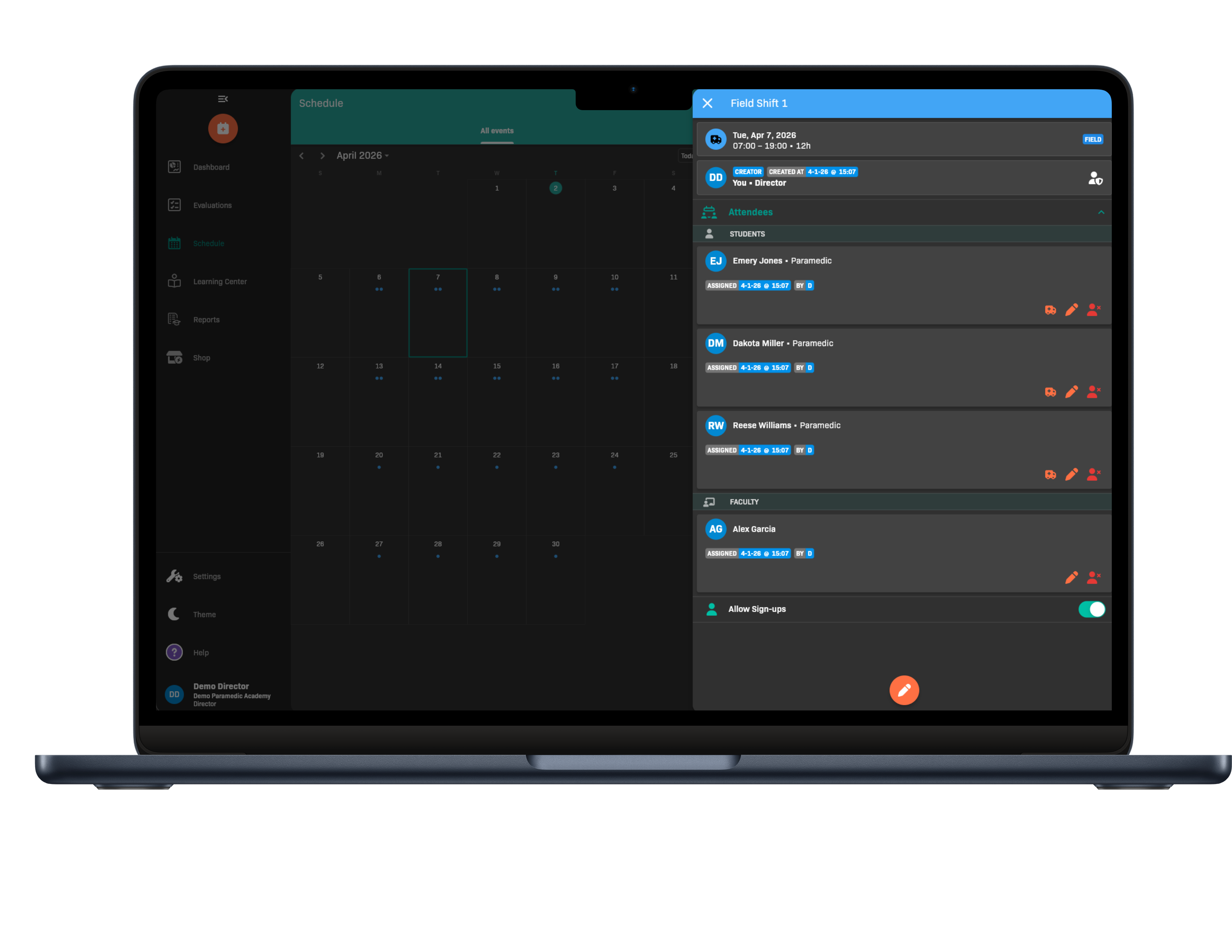
| Operational scheduling control | You can manage locations, slots, signup windows, shared events, attendance, and drop requests from a unified schedule. |
| Evaluator participation | Preceptors can review in EMCE or sign directly on the student device, which reduces friction for hospital and field-based evaluations. |
| Support quality | If your team needs help, EMCE responds within 24 business hours. |
| Honest category boundaries | EMCE does not yet offer a secure testing product. It is built for clinical operations, evaluations, scheduling, and reporting. |
How EMCE helps
EMCE is built for the work your program does all term long, not just for the moment someone asks for a report.
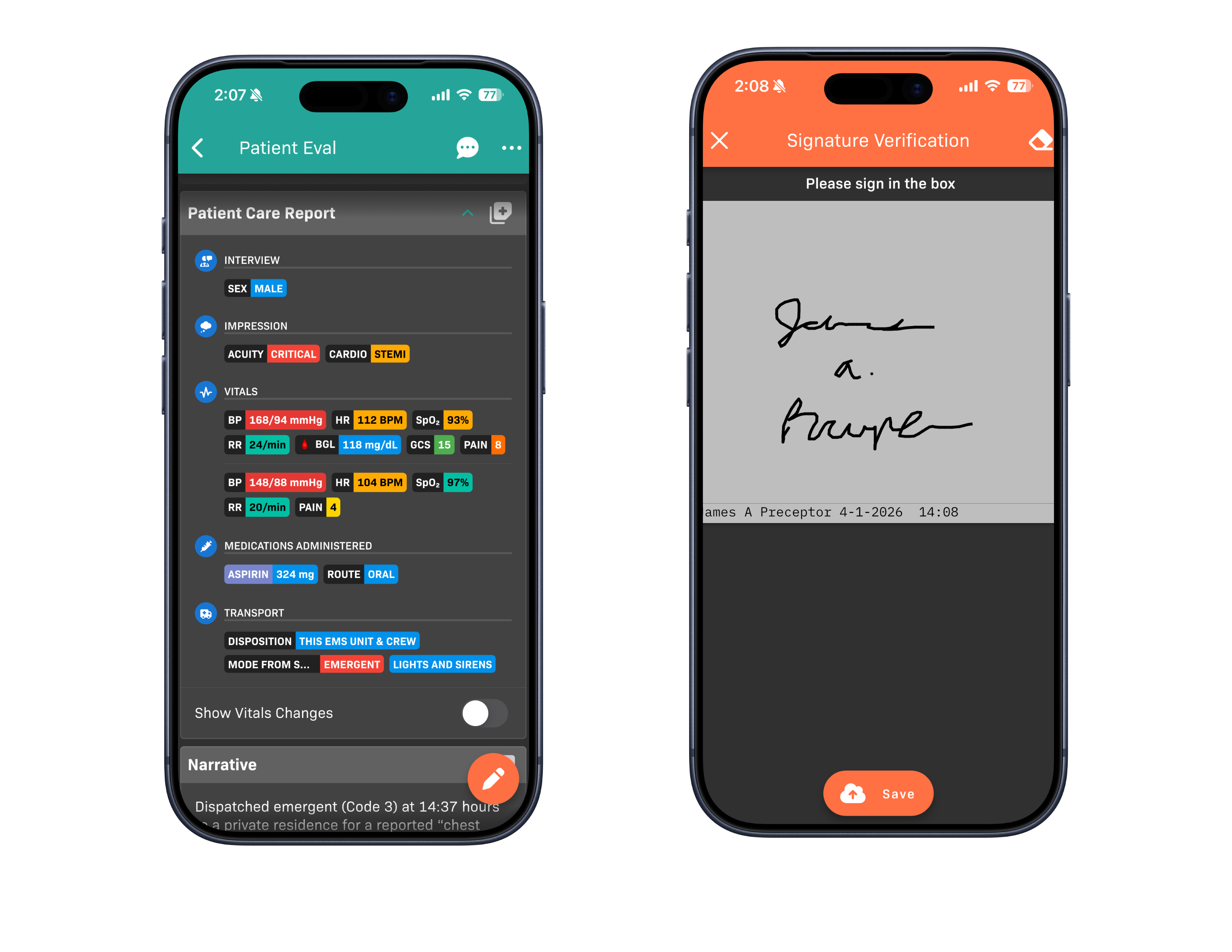
Mobile and offline capture
Students can document on modern devices, preceptors can sign directly on the device, and native apps support offline capture when connectivity is unreliable.
Keep up with the changing times
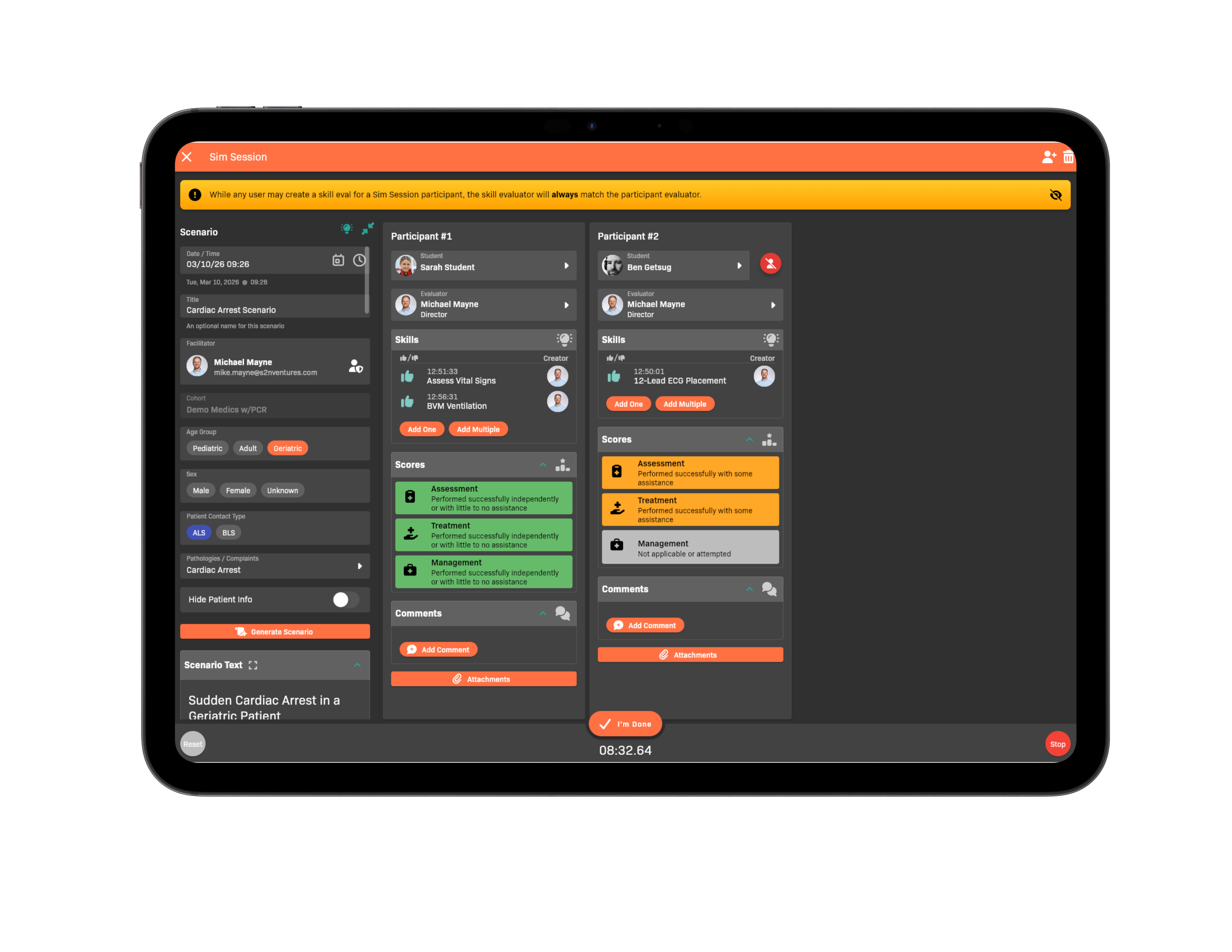
EMCE offers several practical AI-assisted tools for both students and faculty. Enable or disable them as desired.
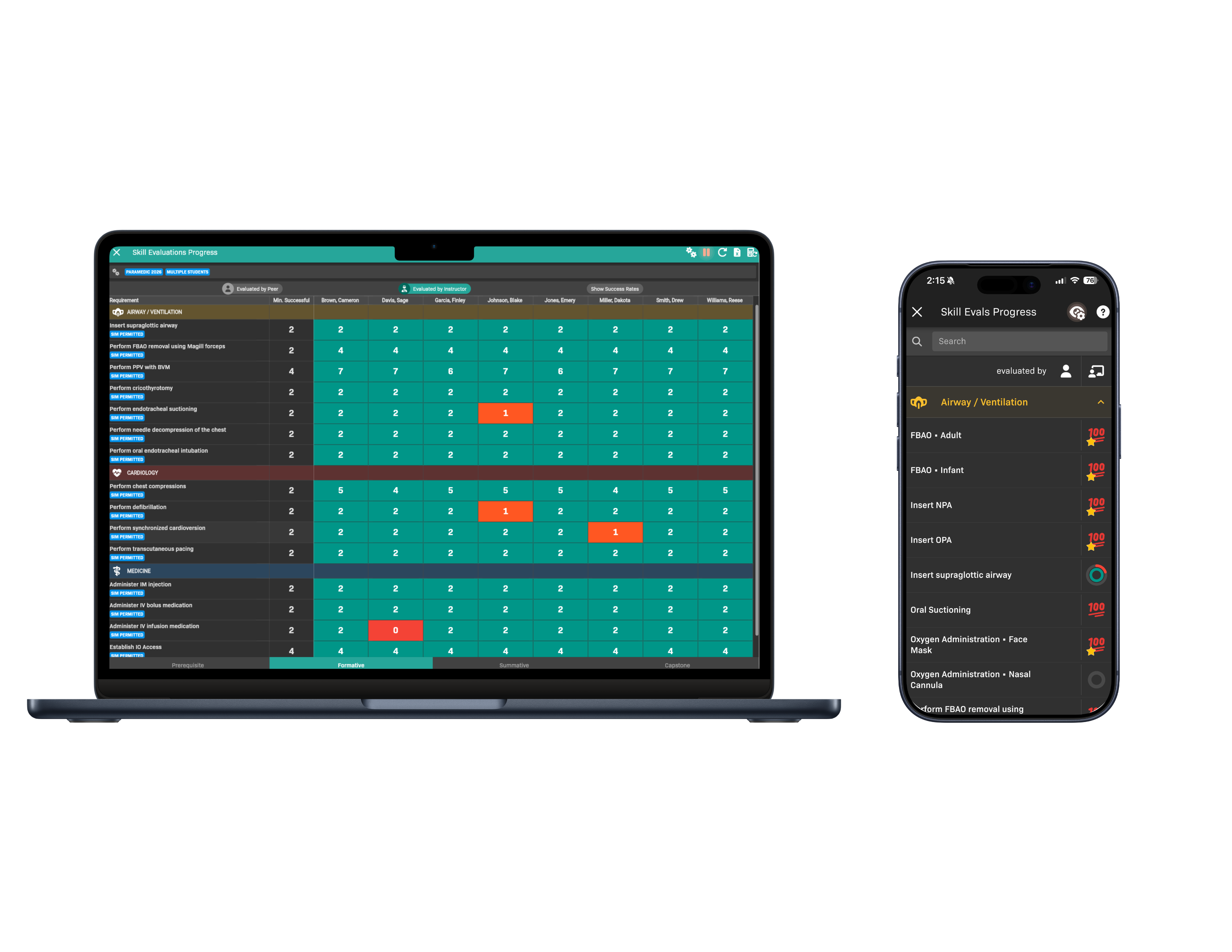
Accreditation readiness
EMCE connects evaluations, progress tracking, and reporting so your faculty can answer program review questions faster and stay better prepared for CoAEMSP site visits.
Scheduling that matches EMS reality
EMCE gives your coordinators the controls they need for real internship operations, including shared events, public schedule views, attendance updates, and drop-request workflows.
Support that shows up
When your team has a question, EMCE responds within a business day. That matters during onboarding, mid-cohort schedule changes, and the weeks when reporting pressure is highest.
Built for every role
See cohort progress, program requirements, reporting views, and operational risk without waiting for data to be assembled somewhere else.
Manage locations, partner sites, shared events, attendance, signup windows, and schedule changes from one place.
Review evaluations, run lab and sim activities, audit records, and answer student progress questions without fighting the interface.
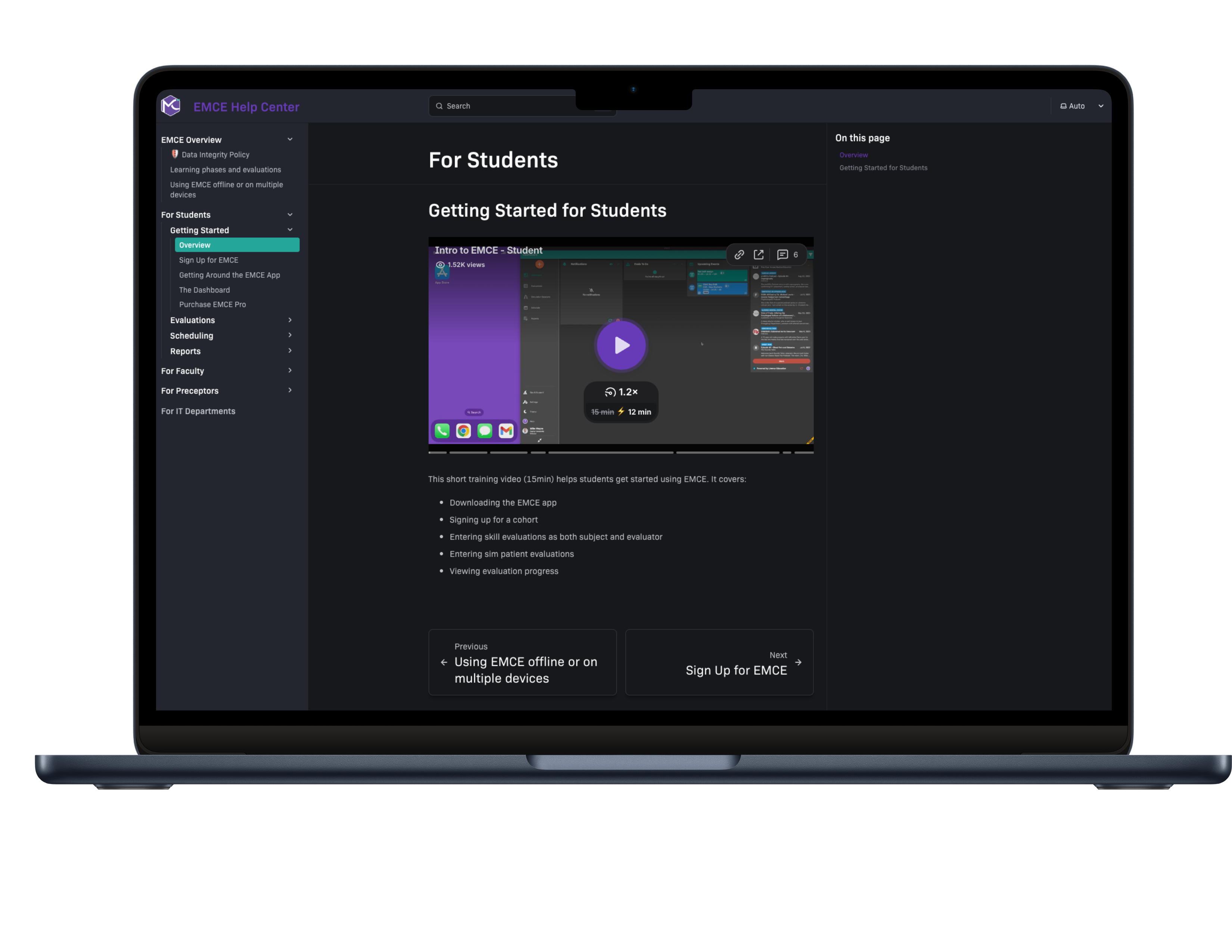
Document on modern devices, see progress in real time, and complete faster sign-off in the field or the lab.
What programs say
My team wanted me to include how grateful they are for your application. The time and effort this will save not only our staff but our students is tremendous.
Lindsay Tanguay, COO, NMETC
EMCE’s skills tracking is flexible for our needs, the scheduling is easy to manipulate, and the customer support is excellent.
Clinical Coordinator, hospital-based EMS program
Very user-friendly. I have used other platforms and this is a lot easier and the customer support is amazing.
Shanena Brooks, Instructor, Lewis & Clark Community College
Support promise
Support is part of the product experience. EMCE treats it that way because schedule changes, onboarding questions, and reporting issues cannot wait days for an answer.
FAQ
Not yet. EMCE is built for competency tracking, scheduling, evaluations, reporting, and faculty oversight. If your program relies on secure testing, you will still need a separate testing product.
EMCE is built for initial education EMS programs, especially EMT, AEMT, and Paramedic cohorts that need better coordination across faculty, students, sites, and preceptors.
EMCE helps your team stay organized around progress tracking, structured evaluations, exports, and summary reporting. The platform already includes a CoAEMSP SMC report and reporting views that support accreditation preparation.
Your team can use EMCE on the web plus native apps for iOS, Android, macOS, and watchOS. Offline evaluation capture is available in the native experience, which is useful for field-based documentation.
Yes. EMCE supports locations, signup windows, attendance updates, shared schedules across organizations, public share views, and calendar subscriptions for broader visibility.
Preceptors can review inside EMCE, or they can sign directly on the student device with a digital signature when that is the fastest option in the field.
No. Faculty, instructors, and preceptors can use EMCE without additional per-user licensing. Student cohort pricing covers the program workflow.
Every support request receives a response within 24 business hours. That speed matters when your team is onboarding, troubleshooting, or trying to keep a cohort on schedule.
See it in action
Programs can schedule a Zoom demo at a convenient time, or sign up directly in the web app and explore EMCE using native apps for iPhone, iPad, Android, and Mac.